01
Your music, together
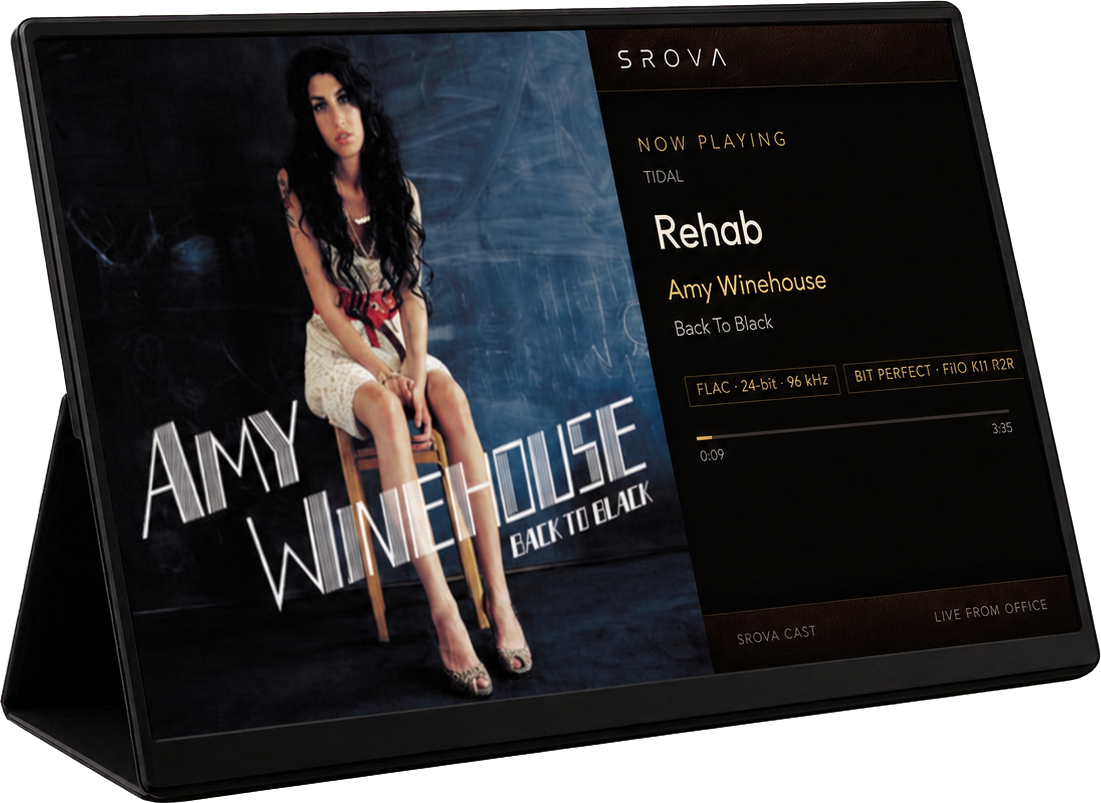
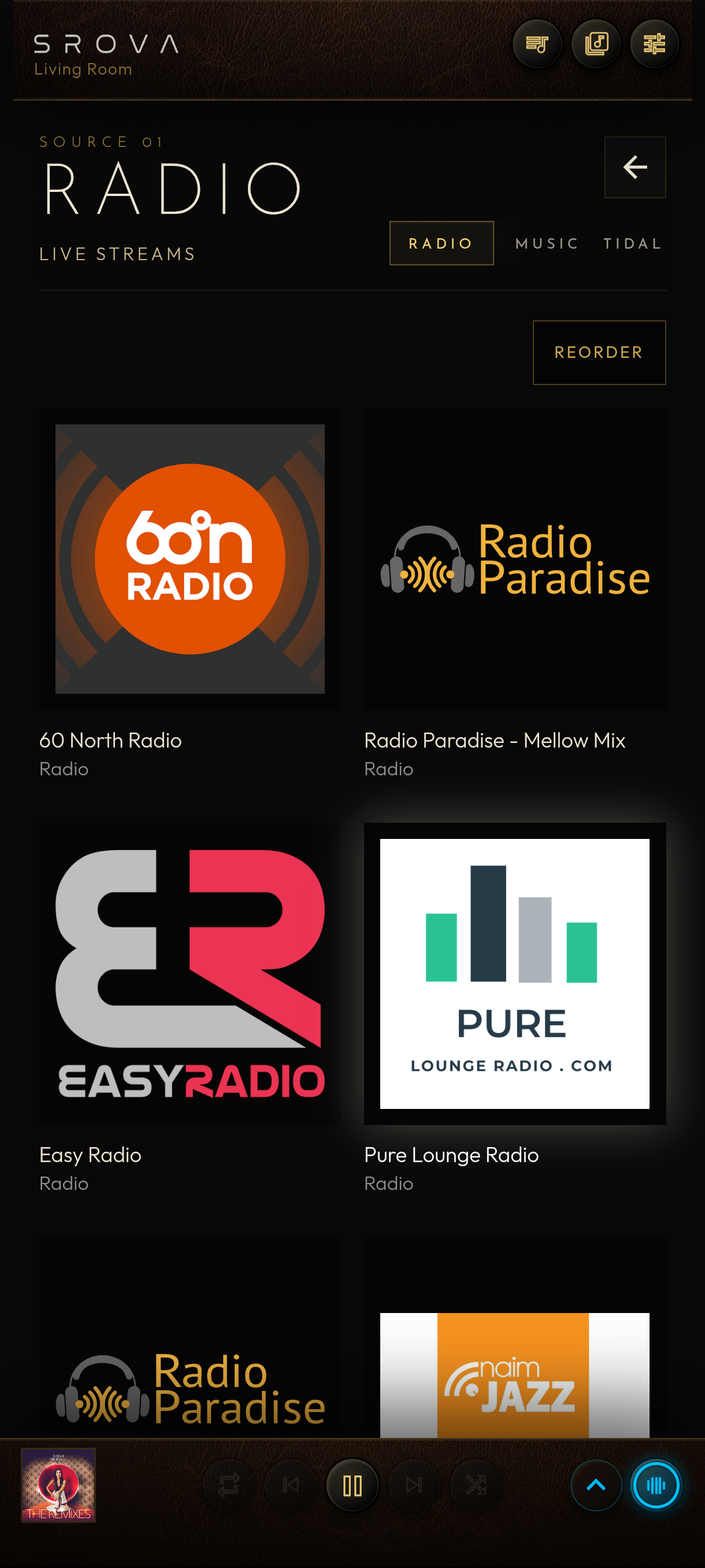
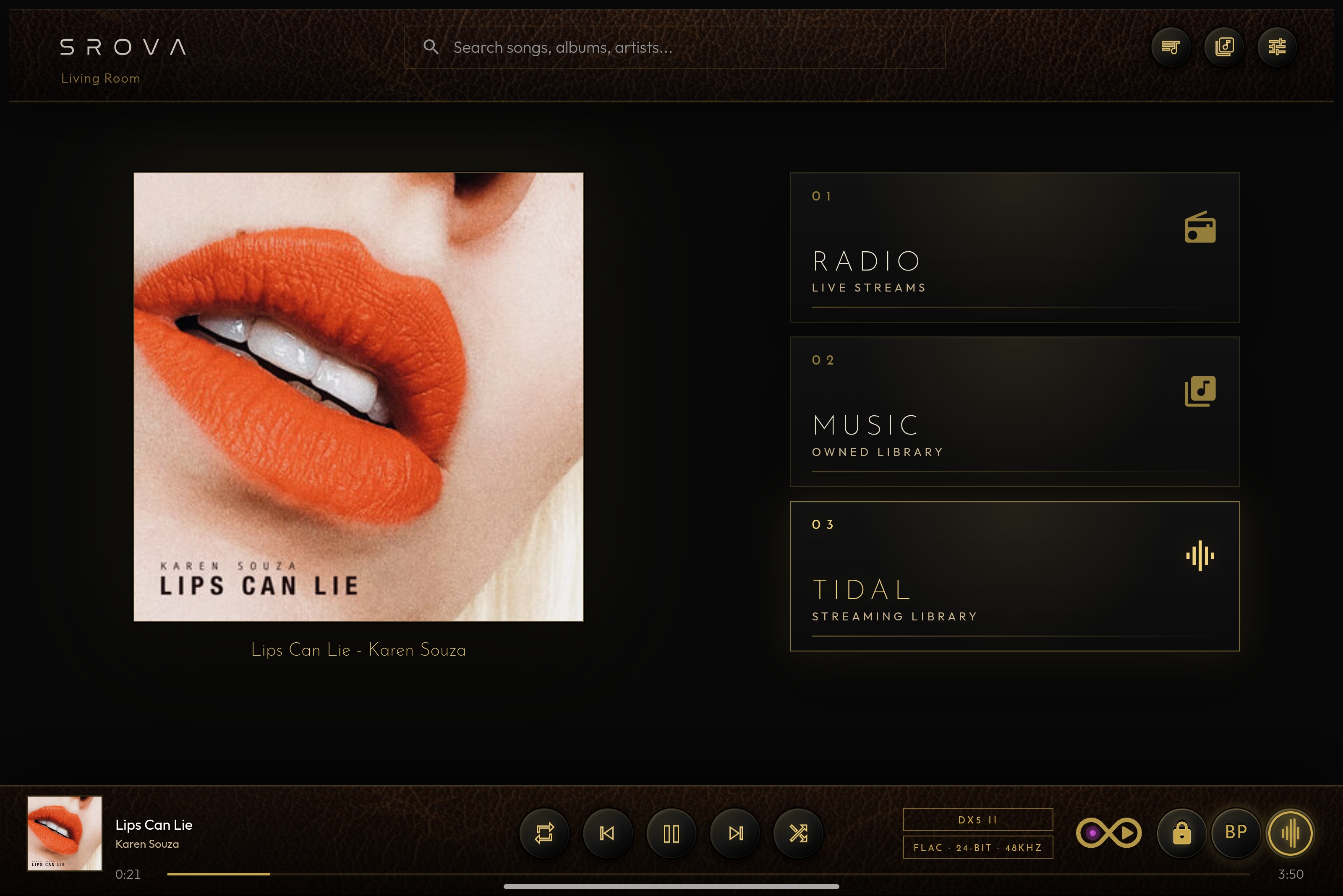
TIDAL, My Music and Internet Radio inside one focused interface.

The SROVA Suite · Player · Remote · Cast
TIDAL, local music and Internet Radio. One interface.
Connect your Pi or Debian PC to a DAC, put it out of sight, and control everything from your phone or tablet—no monitor, keyboard or desktop environment required.
Interface
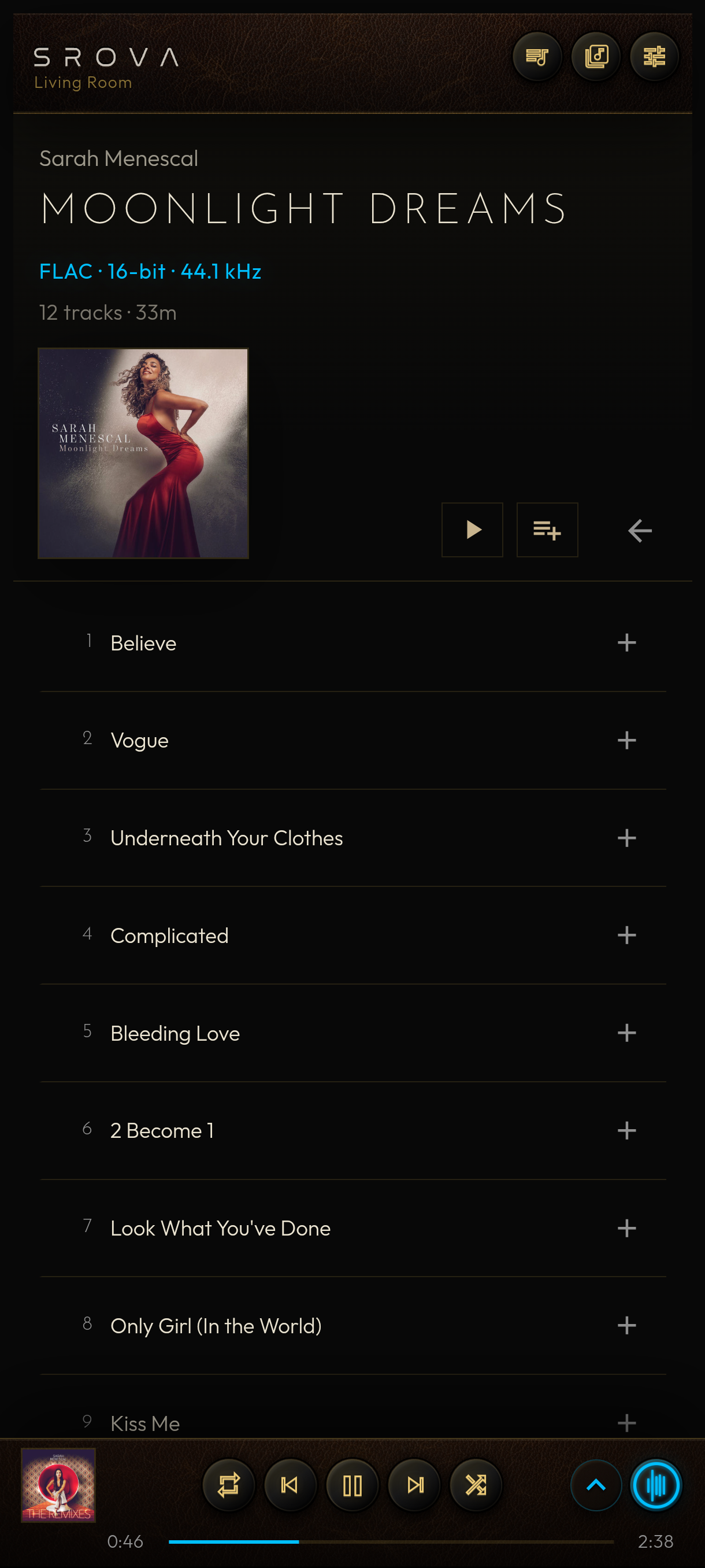
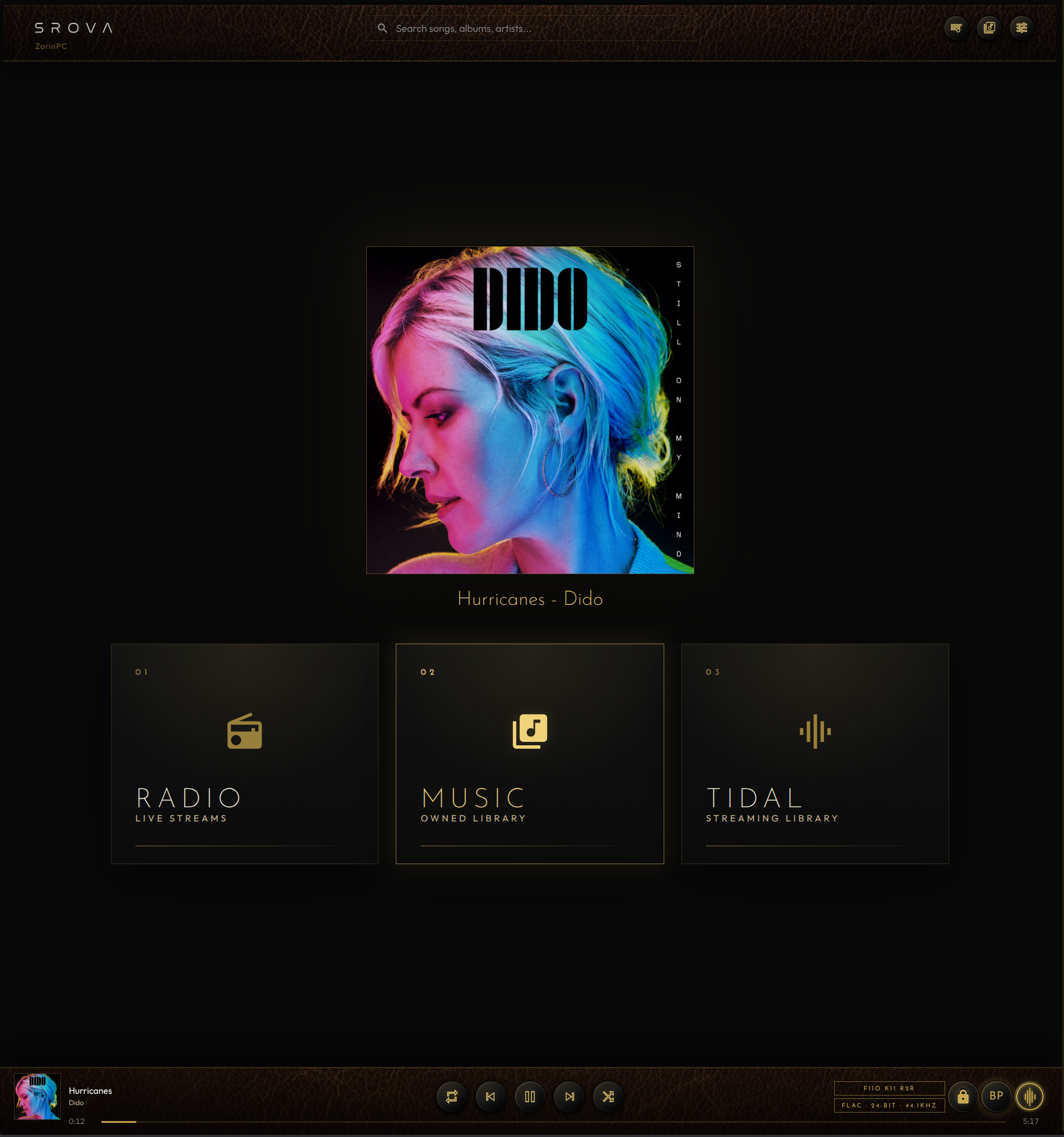
TIDAL, My Music and Internet Radio—controlled from the screen already in your hand.
Why SROVA
SROVA turns a Raspberry Pi or Debian PC into a dedicated music player—bringing your sources, players and controls together without unnecessary complexity.
01
TIDAL, My Music and Internet Radio inside one focused interface.
02
Save multiple SROVA players in the SROVA Remote app and switch between rooms without setting everything up again.
03
Run SROVA on a Raspberry Pi or compatible Debian PC, with clean DAC hand-off when another audio player needs it.
04
A dedicated ALSA audio path with no DSP, software-volume changes or intentional resampling.
SROVA Remote for Android
The music plays on your dedicated SROVA player and DAC. Your Android phone or tablet becomes the complete remote control. Browse TIDAL, My Music and Internet Radio, manage the queue and control playback from anywhere around your home.
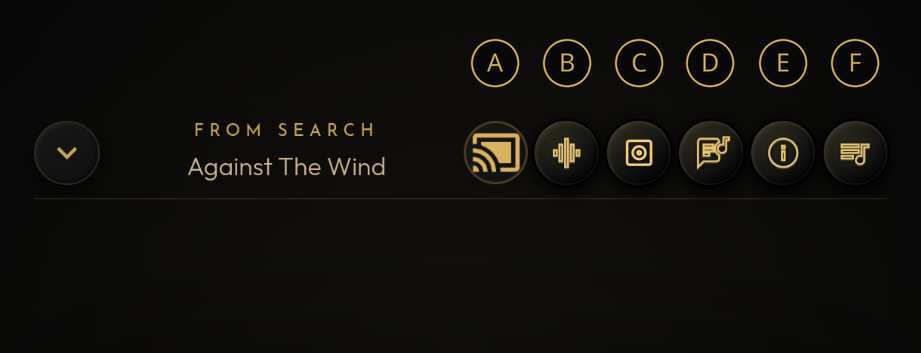
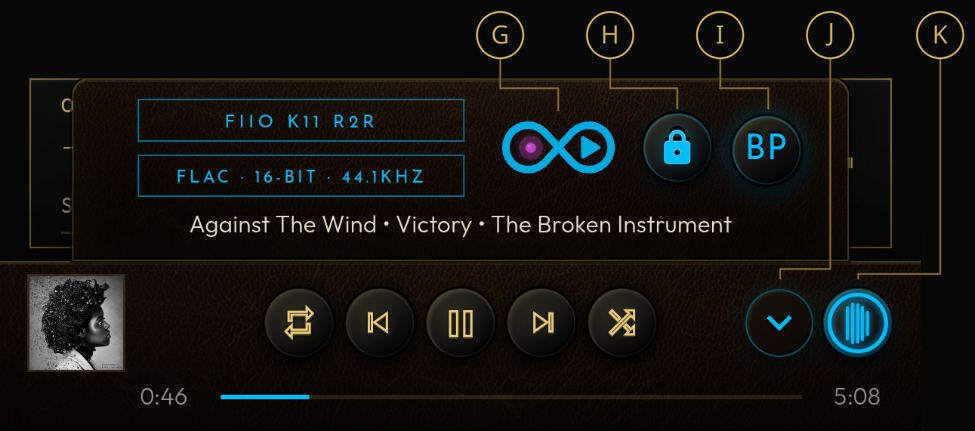
SROVA Remote for Android · Control guide
These annotated controls are part of the SROVA Remote Android app, giving your phone or tablet direct access to playback, discovery, status and Now Playing features.
Browser Control Too
Open SROVA in a modern browser from any browser-capable device on the same local network or LAN. iPhone and iPad (iOS/iPadOS), macOS, Windows, Linux, Android and more can all access the SROVA interface and control your player.
The Android Remote app is convenient, but it is not required for normal SROVA browsing and playback control. Use whichever screen is already in front of you.
One-tap access on iPhone and iPad
In Safari, use Add to Home Screen to place SROVA on your Home Screen. You can then open the browser interface from its own icon, making everyday access feel much more like an app.
Casting note: SROVA Cast and Google Cast are currently available only through the SROVA Remote Android app.
Music discovery
New music discovery is baked into SROVA's DNA. Start with something you love, then let SROVA keep the journey moving.
01
Your queue can end. The discovery doesn't.
Choose a mode and let SROVA add playable TIDAL tracks before your queue runs out—with smarter history, stronger artist variety and fewer repeats.
02
Turn one artist into a new listening path.
Choose any artist and create a fresh TIDAL playlist built from listener-affinity recommendations.
Auto-Mix, Similar Artists and Surprise Me use your own TIDAL and Last.fm connections.
Special Features
A dedicated music player that stays out of sight while keeping the essentials close at hand.